For years, smart glasses meant either a failed experiment (Google Glass) or a novelty nobody actually wore. In 2026, that’s changed enough to be worth paying attention to.
The category has split into two distinct products: visual AR glasses that put a screen in front of your eyes, and audio-first frames that add a camera and AI assistant to something that looks like regular eyewear.
Both have gotten genuinely good.
Whether you want to film your commute hands-free, watch a movie on a virtual 200-inch screen during a flight, or just have your AI assistant read texts aloud while you walk the dog, there’s something on this list that does it well.
Here’s what’s actually worth buying right now.
Contents
Best Smart Glasses of 2026: Top-Rated AR glasses and AI Smart Frames for Everyday Use
The first decision is whether you want a visual display or an audio-only frame. Everything else, weight, battery, price, follows from that.
These five models represent the best of each category currently available.
1. Ray-Ban Meta Gen 2
Best smart glasses for content creators and everyday AI use

The Ray-Ban Meta Gen 2 is the only pair on this list that you could wear in public without anyone noticing they’re smart glasses.
There’s no display, no visible camera bump worth stressing about. Just a pair of Wayfarer-style frames that happen to have a 12MP ultra-wide camera, five microphones, and Meta AI built in.
Best for: Content creators, social media users, and anyone who wants hands-free AI assistance without wearing anything that looks like tech.
The camera records 3K video and livestreams directly to Instagram and Facebook without touching your phone.
Meta AI handles questions, reads messages aloud, and identifies objects in your field of view.
Call quality through the five-mic spatial audio array is noticeably better than most true wireless earbuds in noisy environments.
At 49g, they’re light enough to forget you’re wearing them.
If you’re comparing AI smart glasses for daily wear, nothing currently on the market blends in as well as these.
2. XREAL One Pro AR Glasses
Best AR glasses for travel, gaming, and private viewing

The XREAL One Pro is the benchmark for wearable display glasses in 2026.
Its X1 chip produces a 171-inch virtual screen at 120Hz with 5,000-nit peak brightness, bright enough to use in daylight, and the 3DOF head tracking keeps the image locked in place as you move, with no noticeable lag.
Best for: Travelers, gamers, and anyone who wants a private-cinema experience on a plane, train, or in a hotel room.
The 57° field of view is the widest on this list, and the edge-to-edge sharpness holds up well enough that reading text in the corners of the virtual screen isn’t a strain the way it is on cheaper AR glasses.
It connects via USB-C to your phone, Steam Deck, or laptop.
At 80g, it’s on the heavier end, but for two-hour movie sessions or gaming in transit, that’s a reasonable trade for the display quality.
For anyone comparing the best AR glasses for iPhone or Android, this is where to start.
3. VITURE Luma Pro XR Glasses
Best AR glasses for prescription wearers

Most AR glasses create a secondary problem for anyone with a prescription: you either wear contacts, buy custom lens inserts, or squint.
The VITURE Luma Pro sidesteps this with built-in diopter adjustment dials on the frames.
If your prescription is between 0.0 and -5.0D, you turn the dials until the screen is sharp. No contacts, no inserts, no extra cost.
Best for: Nearsighted users and anyone who wants a polished, accessible XR experience without the prescription headache.
The display runs at 1200p on a 152-inch virtual screen with Harman-tuned audio.
The electrochromic film, which switches the lenses to blackout mode instantly, is genuinely useful for blocking out a bright cabin or office during a viewing session.
At 78g, it sits in the middle of the weight range for AR display glasses. For prescription glasses wearers looking for the best XR glasses without lens inserts, there’s nothing currently better suited.
4. RayNeo Air 4 Pro
Best budget AR glasses with premium display and audio

The RayNeo Air 4 Pro hits a price point that would have bought you a noticeably worse image two years ago.
Its Vision 4000 chip delivers HDR10 support with deep blacks and a 201-inch virtual display, the largest on this list, with audio tuned by Bang & Olufsen.
Best for: Budget-conscious buyers who don’t want to give up image quality or sound to save money.
The B&O audio tuning is the most obvious differentiator here: the bass response and stereo separation on action films are better than any other AR glasses at this price.
HDR10 support isn’t common at this level either, and it’s visible in practice. Darker scenes have actual shadow detail rather than a grey wash.
At 75g and a more accessible price than the XREAL One Pro or VITURE, it’s the first recommendation for anyone who wants to try wearable display glasses without committing to a top-tier budget.
These are currently among the best-selling AR glasses on Amazon for a reason.
5. Lucyd Lyte 2025
Best smart audio glasses for all-day wear and commuting
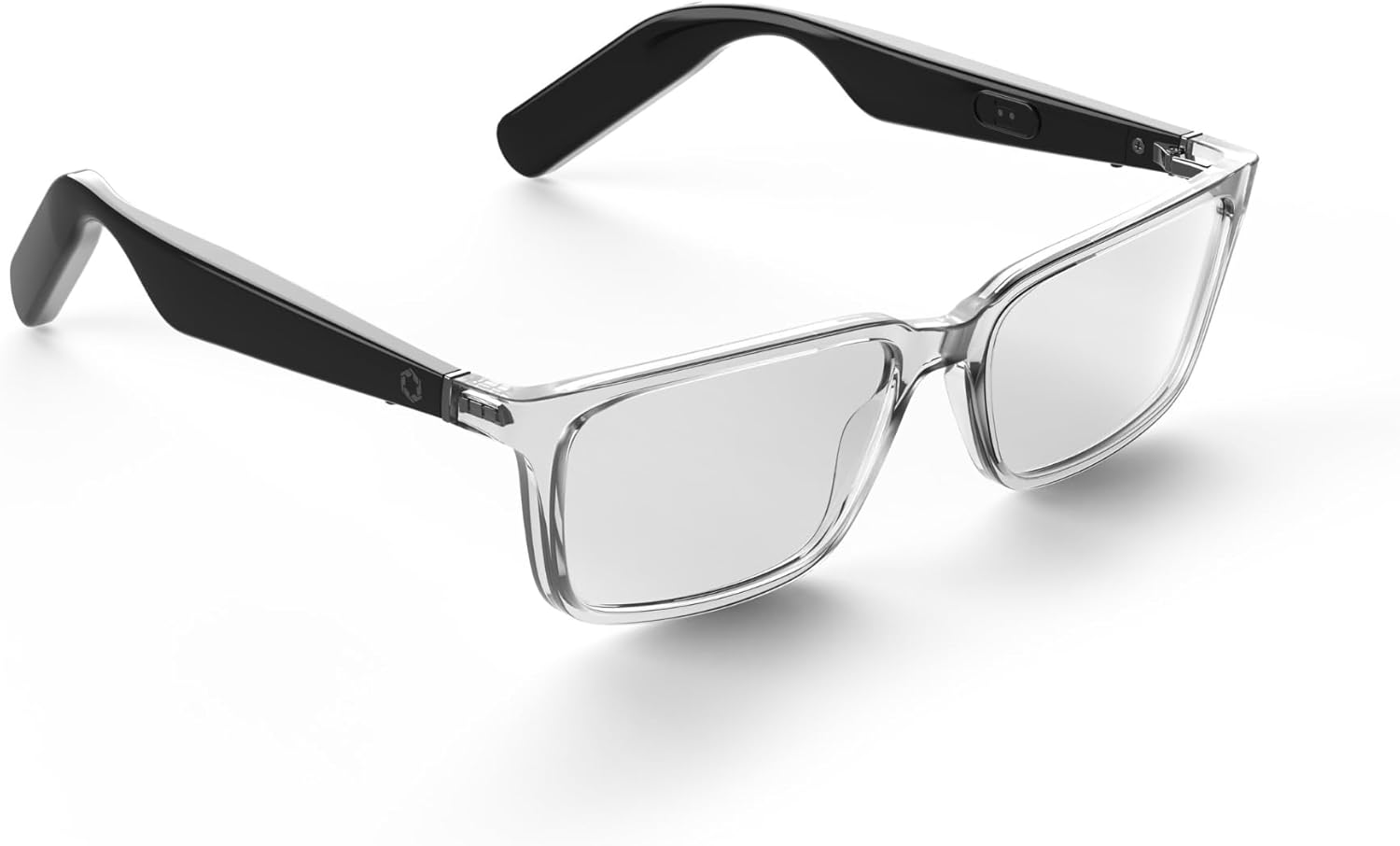
The Lucyd Lyte 2025 is not trying to put a screen in your face.
It’s a pair of stylish audio frames with open-ear speakers, dual noise-canceling mics, Bluetooth 5.2, and a 12-hour battery; built for people who want hands-free calls and voice assistant access without anything heavier than a standard pair of glasses.
Best for: Professionals, commuters, and anyone who wants a lightweight AI audio frame they can wear from morning to night.
At roughly 40g, they’re the lightest pair on this list. The quadraphonic open-ear speaker setup keeps you aware of your surroundings, which makes it more practical for commuting or walking in traffic than in-ear alternatives.
Twelve hours of playback is long enough to cover most working days without a charge. They’re available in a range of frame styles and can be taken to a local optician for standard prescription lens fitting.
If you’re looking for the best smart glasses for commuters or the best Bluetooth glasses for calls and podcasts, these are the most wearable options on the list.
Smart Glasses Comparison Table
Model
Type
Weight
Standout feature
Ray-Ban Meta Gen 2
Camera / AI
49g
12MP POV camera, Meta AI
XREAL One Pro
AR display
80g
5,000-nit brightness, 120Hz
VITURE Luma Pro
AR display
78g
Built-in diopter adjustment
RayNeo Air 4 Pro
AR display
75g
B&O audio, HDR10, 201-inch display
Lucyd Lyte 2025
Audio / AI
~40g
12-hour battery, all-day comfort
Smart Glasses Buying Guide: What to Decide Before You Buy

Visual AR vs. audio-only
AR display glasses (XREAL, VITURE, RayNeo) use tiny projectors to put a screen in your field of view. They’re built for movies, gaming, and focused viewing sessions, and most connect via USB-C cable to a phone or console.
Audio-first smart glasses (Ray-Ban Meta, Lucyd Lyte) have no display. They use speakers, mics, and sometimes a camera to handle calls, AI queries, and content capture wirelessly. Deciding between these two categories is more important than any other spec on the sheet.
Weight
Standard glasses weigh 25-30g. Smart glasses run from 40g (Lucyd) to 80g (XREAL). For all-day AI audio use, weight is the most important comfort factor. For two-hour movie sessions or gaming, a heavier AR frame is manageable. If you’re planning to wear them for six-plus hours a day, the lighter audio frames are more realistic.
Prescriptions and vision correction
The VITURE Luma Pro has built-in diopter dials covering 0.0 to -5.0D. The XREAL One Pro supports magnetic lens inserts. Audio frames like the Ray-Ban Meta and Lucyd Lyte can usually be fitted with standard prescription lenses by a local optician. Check this before buying; it’s the detail most buyers overlook!
FAQ
Can people see what I’m watching on AR glasses?
Generally no. People standing very close might notice faint light leakage on the outside of the lenses, but the image itself is only visible to the wearer.
Are smart glasses waterproof?
Most are IPX4 or IP54 rated, which covers sweat and light rain. Don’t wear them in heavy rain or near water. None of these is submersion-proof.
Do smart glasses need a constant phone connection?
Most do. AR display glasses typically connect via USB-C and use your phone or console’s processor. Audio and AI frames connect via Bluetooth and rely on your phone’s data for smart assistant features. Standalone processing, without any phone, isn’t here yet at this price range.