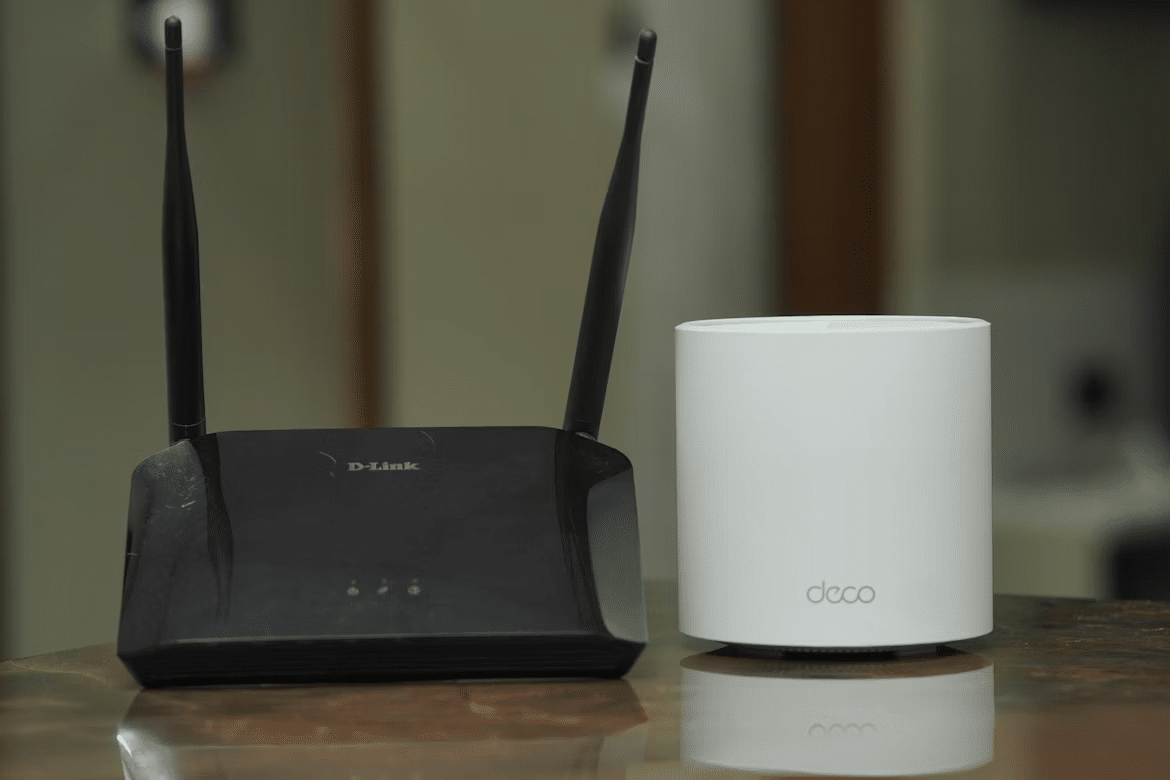
A single router in the corner worked when homes had just a few devices.
Now, most households run five or more at once. 4K streaming, smart gadgets, work laptops, phones, all competing for bandwidth. One router struggles to keep up. A mesh system doesn’t.
With Wi-Fi 7, the upgrade actually matters. Devices can use multiple bands at the same time, move more data faster, and intelligently avoid interference.
If your home has fast internet, frequent video calls, or you’ve ever dealt with buffering in the evening, you’ll feel the difference.
Best Wi-Fi Mesh Systems for Whole-Home Coverage, Speed, and Reliability
The six systems below cover the full range, from a 10-gigabit Wi-Fi 7 flagship built for households with top-tier fiber plans to a straightforward Wi-Fi 6E system that sets up in five minutes and works without any manual configuration.
Each was chosen based on real-world coverage consistency, congestion handling under load, and how well the feature set matches a specific home size and use case.
1. Amazon eero Max 7
Best for ultra-fast speeds and future-proofing

The eero Max 7 is the system you buy when your internet plan starts with a number above 2 and ends in Gbps.
The dual 10GbE ports per node mean the connection between your router and a wired device, be it a NAS, a gaming PC, or a managed switch, runs at full multi-gigabit speed rather than being bottlenecked at the 2.5G limit that most mesh systems impose. The 2x 2.5GbE ports handle everything else.
The Matter controller and Thread Border Router integration make it the natural hub for a serious smart home setup. Compatible devices connect through it directly rather than requiring separate hubs for different ecosystems.
The eero app setup is among the simplest in the mesh category, which is a genuine achievement at this level of hardware capability.
The advanced security features (network scanning, ad blocking, content filtering) sit behind an eero Plus subscription, which is worth factoring into the total cost.
Type: Tri-band Wi-Fi 7 | Key specs: Up to 10 Gbps, 2,500 sq. ft. per node, 2x 10GbE and 2x 2.5GbE ports, 250+ device support
Pros:
- Dual 10GbE ports per node deliver true multi-gigabit wired speeds. No bottleneck between the mesh and high-bandwidth wired devices
- Matter and Thread integration handles smart home device connectivity without additional hubs
- The eero app setup is faster and simpler than most mesh systems at this performance level
Cons:
- Price per node is the highest on this list. A three-node setup is a significant investment
- Advanced security features require an ongoing eero Plus subscription rather than being included outright
Verdict: The most capable mesh system available for residential use today. If you have a 5Gbps+ fiber plan and want every corner of your home to actually use it, this is the system that delivers.
Honorable Mention: Amazon eero 6+
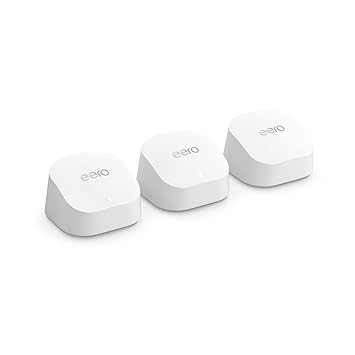
For homes on a standard gigabit plan, the eero 6+ covers 4,500 sq. ft. in a three-pack at a fraction of the Max 7’s cost. If your ISP plan tops out at 1Gbps, the eero 6+ is the more sensible purchase. You won’t use the 10GbE ports that justify the Max 7’s price.
2. TP-Link Deco BE63 (Deco 7 Pro)
Best Wi-Fi 7 value system
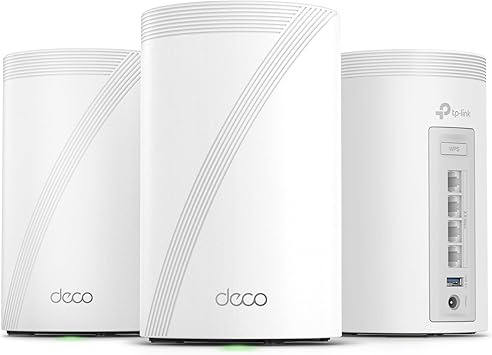
Wi-Fi 7 mesh systems have mostly launched at prices that put them out of reach for most households. The Deco BE63 is the clearest exception.
Four 2.5G Ethernet ports per unit is a specification that competing systems at this price point don’t offer. Most mid-range mesh nodes include one or two at best, which limits how many wired devices can connect at full speed per node.
The AI-driven mesh learns device traffic patterns over time and adjusts routing to minimize interference and congestion.
HomeShield security covers basic network protection, content filtering, and traffic monitoring without a mandatory subscription for core features. A meaningful advantage over systems that put essential security tools behind a paywall.
VPN client and server support handle remote access without needing a separate device on the network.
Type: Tri-band Wi-Fi 7 | Key specs: 10 Gbps combined speed, 4x 2.5G ports per unit, HomeShield security, VPN client/server support
Pros:
- Four 2.5G ports per node is the best wired connectivity at this price point. Supports multiple high-bandwidth wired devices per node
- Core HomeShield security features are available without a subscription
- Wi-Fi 7 MLO and 320MHz channel support at a price that doesn’t require a premium budget
Cons:
- Physical unit size is larger than the eero and Linksys options. Placement needs more surface space
Verdict: The most practical Wi-Fi 7 upgrade for households that want the current standard without the four-figure price tag. The port selection alone justifies the step up from cheaper alternatives.
3. TP-Link Deco XE75
Best overall for most people

The Deco XE75 has held a top pick position for a couple of years now, and today the reason hasn’t changed: it solves the problem most households actually have.
The dedicated 6GHz backhaul channel carries traffic between nodes on a frequency band that most devices in a residential area don’t touch, which means the data moving between your nodes isn’t competing with your neighbor’s router or your own 2.4GHz and 5GHz device traffic.
The practical result is more consistent speeds throughout the coverage area, not just close to the nearest node.
A three-pack covers up to 7,200 sq. ft., which handles most large homes and multi-story layouts without needing additional nodes.
AI-driven mesh management adjusts band steering and roaming thresholds automatically rather than leaving those settings to manual configuration.
For households on gigabit fiber plans who don’t need the multi-gigabit ports that Wi-Fi 7 systems offer, the XE75 is a more cost-effective match for the actual internet plan they’re running.
Type: Tri-band Wi-Fi 6E | Key specs: 5,400 Mbps combined speed, up to 7,200 sq. ft. (3-pack), dedicated 6GHz wireless backhaul, AI mesh management
Pros:
- Dedicated 6GHz backhaul keeps node-to-node traffic off the bands used by client devices; consistent speeds across the coverage area
- 7,200 sq. ft. coverage in a three-pack handles large homes and multi-story layouts without additional hardware
- AI band steering and roaming management work without manual configuration
Cons:
- No multi-gigabit Ethernet ports. The 1G wired connections are a bottleneck if you upgrade to a 2Gbps+ fiber plan
- Wi-Fi 6E rather than Wi-Fi 7 means no MLO support for devices that support it
Verdict: The most sensible mesh purchase for the average household. Strong coverage, stable backhaul, and a price that doesn’t require justification against a gigabit internet plan.
4. ASUS ZenWiFi XT9
Best for customization and security

The ZenWiFi XT9 is built for the type of user who wants to know exactly what’s happening on their network.
The AiMesh ecosystem lets you mix and match compatible ASUS routers as nodes, which means you can start with a two-pack and expand by adding a different ASUS router you already own, rather than buying a matching satellite at full price.
Manual controls cover VLAN configuration, QoS prioritization, custom DNS, port forwarding, and advanced firewall rules, the kind of settings that most mesh systems deliberately hide.
AiProtection Pro is the most practical differentiator for security-conscious users. Commercial-grade network protection, malicious site blocking, intrusion detection, and device vulnerability scanning are all included as permanent features without a subscription.
Over time, that’s a meaningful cost advantage over systems that charge monthly for comparable security coverage.
Type: Tri-band Wi-Fi 6 | Key specs: AX7800, up to 5,700 sq. ft. (2-pack), 2.5G WAN port, AiProtection Pro lifetime security, AiMesh compatibility
Pros:
- AiProtection Pro delivers lifetime commercial-grade security with no ongoing subscription cost
- AiMesh compatibility allows network expansion with other ASUS routers, rather than requiring dedicated matching satellites
- Manual controls cover advanced configuration that most consumer mesh systems don’t expose
Cons:
- The admin interface has a steep learning curve for users unfamiliar with network terminology
- Wi-Fi 6 only. No 6GHz band access, which means more potential interference in dense residential areas
Verdict: The strongest choice for network-conscious users who want full visibility and control over their home network without paying a monthly fee for security features. The AiMesh flexibility and lifetime AiProtection Pro are genuinely differentiating in a category where both usually cost extra.
5. Netgear Orbi 370 Series (RBE373)
Best for maximum coverage in large homes
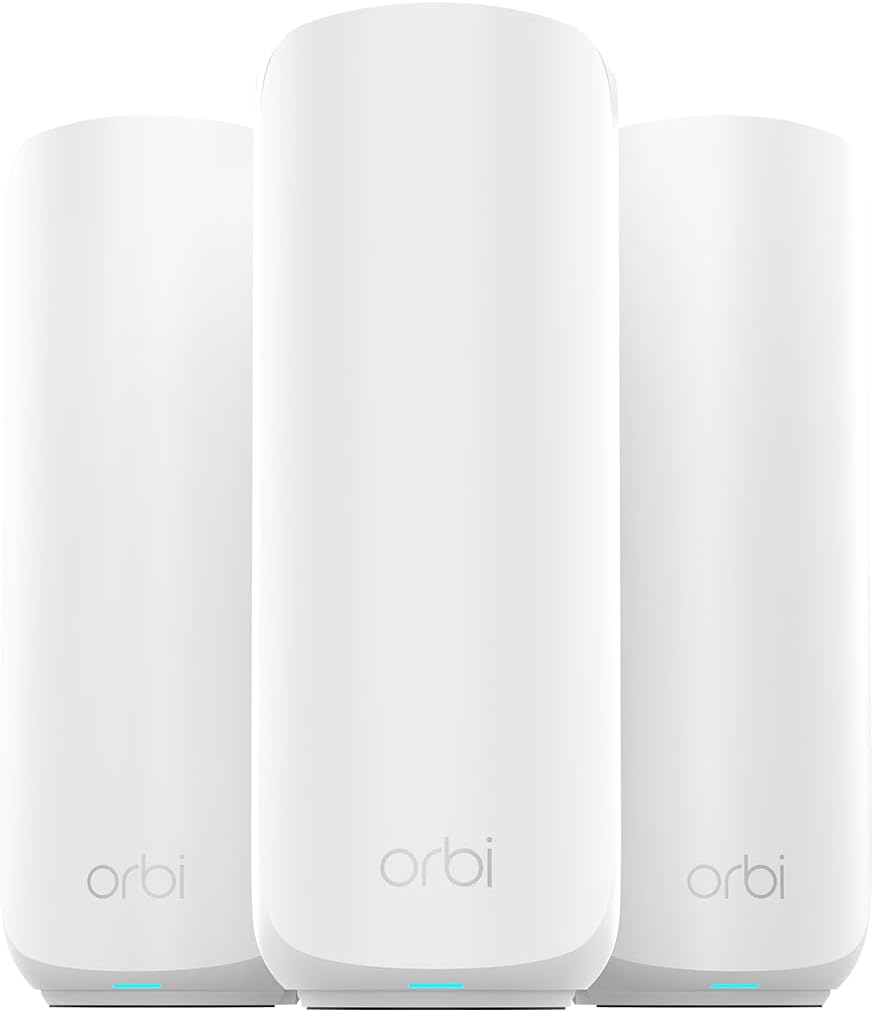
Netgear’s dedicated backhaul design is the Orbi line’s long-standing advantage, and the 370 Series brings it to Wi-Fi 7 at a price below the flagship Orbi 960.
The dedicated backhaul band carries node-to-node traffic independently from client device connections. In practice, that means adding devices and increasing usage doesn’t degrade the connection between nodes the way it does on shared-backhaul systems.
The three-pack (one router and two satellites) covers 6,000 sq. ft. with the signal consistency through thick walls and across floors that single-router setups lose quickly.
Dual-band rather than tri-band is the honest limitation at this tier. Without a third dedicated frequency lane, peak throughput under heavy simultaneous load is lower than that of tri-band competitors.
For large homes where coverage consistency matters more than maximum throughput, that tradeoff is acceptable.
Type: Dual-band Wi-Fi 7 | Key specs: Up to 5 Gbps combined speed, 6,000 sq. ft. (3-pack), 2.5G internet port, 70-device support
Pros:
- Dedicated backhaul maintains node-to-node connection quality independently from client device traffic
- Coverage consistency through thick walls and multiple floors is the strongest on this list
- Rock-solid firmware stability. Orbi systems have a long track record of reliable long-term operation
Cons:
- Dual-band rather than tri-band limits peak throughput under simultaneous heavy load compared to tri-band Wi-Fi 7 competitors
- 70-device support is lower than the eero Max 7 and Deco BE63 for households with large numbers of smart home devices
Verdict: The right system for large, multi-story homes where dead zones and weak signal through walls are the persistent problem. If consistent coverage in every room matters more than maximum throughput benchmarks, the Orbi 370 delivers it reliably.
6. Linksys Velop Pro 6E
Best easy-to-use system
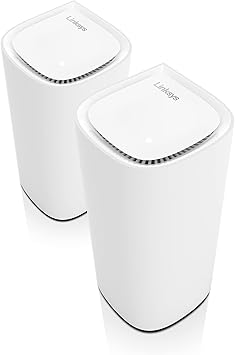
The Velop Pro 6E makes one promise: set it up in five minutes and don’t think about it again.
The cognitive mesh system handles band steering, node roaming thresholds, and channel selection automatically without exposing any of those settings to the user.
The compact tower footprint fits on a shelf or beside a TV without looking like networking equipment. Firmware updates install automatically in the background.
The 6GHz band on Wi-Fi 6E handles the backhaul channel cleanly, keeping device traffic and node-to-node traffic from competing with each other.
Support for 200+ devices covers households with extensive smart home setups without configuration.
For apartment dwellers and smaller homes on standard gigabit plans who want better whole-home coverage than a single ISP router provides, the Velop Pro 6E removes every point of friction from the setup and management process.
Type: Tri-band Wi-Fi 6E | Key specs: 200+ device support, 1.0 Gbps speed rating, cognitive mesh auto-optimization, compact tower design
Pros:
- Cognitive mesh handles all optimization automatically. No manual band steering, QoS, or roaming configuration required
- Compact tower design fits standard shelf and entertainment unit placement without a dedicated equipment space
- Stable firmware with a long track record of reliable automatic updates
Cons:
- No advanced configuration options for power users. Manual controls are limited by design
- 1G Ethernet ports only. No multi-gigabit wired connections for high-bandwidth wired devices
Verdict: The most approachable mesh system on this list. For users who want reliable whole-home Wi-Fi coverage without any technical setup or ongoing management, the Velop Pro 6E handles it entirely on its own.
Comparison Table: Best Home Wi-Fi Mesh Systems
Feature
eero Max 7
Deco BE63
Deco XE75
ASUS XT9
Orbi 370
Velop Pro 6E
Standard
Wi-Fi 7
Wi-Fi 7
Wi-Fi 6E
Wi-Fi 6
Wi-Fi 7
Wi-Fi 6E
Max speed
10 Gbps
10 Gbps
5.4 Gbps
7.8 Gbps
5 Gbps
5.4 Gbps
Max range
2,500 sq ft*
7,600 sq ft†
7,200 sq ft†
5,700 sq ft‡
6,000 sq ft†
6,000 sq ft†
Ethernet
10G + 2.5G
2.5G
1G
2.5G
2.5G
1G
Per node | †3-pack | ‡2-pack
How to Choose the Best Wi-Fi Mesh Router

Understanding Wi-Fi standards
Wi-Fi 7 is the current flagship standard and the right choice for households with 2Gbps+ internet plans or devices that support Multi-Link Operation.
The performance advantage is real for those use cases. For standard gigabit homes, it’s ahead of where most ISP plans currently sit.
Wi-Fi 6E is the practical sweet spot for most households today: the 6GHz band provides a clean, low-interference channel that eliminates most of the congestion problems that Wi-Fi 6 systems encounter in dense residential areas.
Wi-Fi 6 without the 6GHz band is still functional but increasingly shows its limitations in neighborhoods with high router density.
Wired vs. wireless backhaul
If your home has Ethernet runs between floors or between rooms, use them.
A wired backhaul between nodes is faster and more stable than any wireless backhaul implementation. The 2.5G ports on the Deco BE63 and ASUS XT9 handle that connection at speeds no wireless backhaul band can reliably match.
For homes without existing Ethernet runs, a dedicated wireless backhaul band (the 6GHz channel on Wi-Fi 6E and 7 systems) is the next best option.
Node count and placement
More nodes don’t always mean better performance. Placing too many nodes in a small space creates signal overlap where nodes compete with each other rather than cooperating, which degrades rather than improves coverage.
One node per 2,000 sq. ft. is a reliable starting point for most home layouts. For multi-story homes, one node per floor positioned centrally covers most situations without overlap issues.
Final Verdict: Which Wi-Fi Mesh Router Should You Buy?
For households with 5Gbps+ fiber plans who want the full performance of that connection throughout the home, the Amazon eero Max 7 is the only system on this list built for it.
For most homes on gigabit fiber that want the best coverage-to-cost ratio, the TP-Link Deco XE75 remains the most sensible purchase. Strong coverage, stable 6GHz backhaul, and a price that matches what most gigabit plans actually need.
For large, multi-story homes where dead zones and signal drop-off through thick walls are the specific problem, the Netgear Orbi 370 delivers the most consistent room-to-room coverage on this list.
Frequently Asked Questions (FAQs)
Are mesh Wi-Fi systems better than traditional routers?
For single-floor apartments and small homes where the router can be placed centrally, a high-quality single router often performs better than a mesh system at the same price.
For multi-story homes, large floor plans, or any layout where walls and distance create dead zones, mesh systems maintain a consistent signal in a way that no single router can match, regardless of its output power.
Is Wi-Fi 7 worth upgrading to today?
If your internet plan delivers 2Gbps or more, or you own Wi-Fi 7 devices that support Multi-Link Operation, the upgrade is meaningful.
For households on standard gigabit plans with current-generation devices, Wi-Fi 6E delivers better real-world performance than the spec gap suggests.
The 6GHz band eliminates most of the interference problems that make Wi-Fi 6 feel inconsistent, without the cost premium of Wi-Fi 7 hardware.
How many mesh nodes do I actually need?
One to two nodes cover most apartments and small homes. Two to three handles a standard three-bedroom house across a single or double story. Three or more nodes are for large multi-story homes or layouts with significant obstacles like concrete walls and multiple wings.
Start with the minimum for your square footage and add nodes only if specific dead zones remain.
Can I use a mesh system with my existing router?
Yes, but put your ISP’s modem-router into Bridge Mode first. Running two routers without doing this creates Double NAT, a network conflict that causes connection problems with gaming, VPNs, and certain smart home devices.
Bridge Mode disables the routing function on the ISP device and lets the mesh system handle all routing without conflict.